
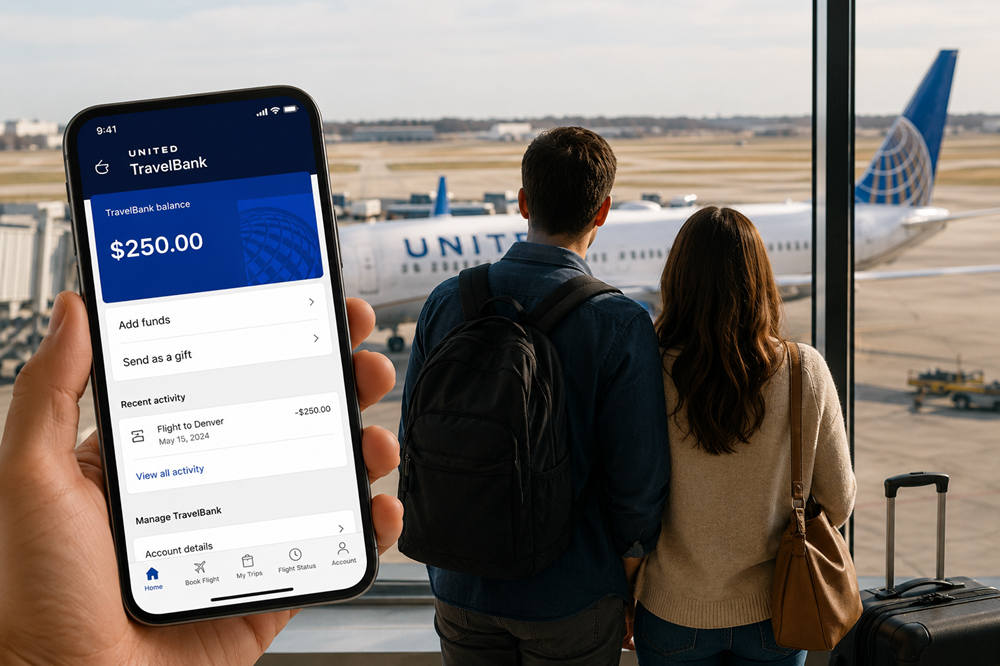
How to Use United TravelBank: A Simple Guide for Couples
United TravelBank is a digital balance connected to your MileagePlus account. To use it, sign in to the account holding the funds, choose an eligible flight, continue to checkout, select Travel Credits, and apply your TravelBank balance. If the credit does not cover the full reservation, you can usually pay the difference with an accepted credit card or another conventional payment method.
For couples, the main questions are whether both tickets can remain on one reservation, which partner’s account holds the funds, and whether every flight in the itinerary is eligible. Checking those details before payment can prevent an inconvenient last-minute booking change.
What Is United TravelBank?
United TravelBank works like a stored travel balance within a MileagePlus account. TravelBank cash may come from purchased funds, gifts, eligible credit card benefits, promotions, rental car offers, or certain MileagePlus exchanges.
It is different from the other credits and rewards United offers:
- Future flight credits are commonly issued after an eligible ticket is canceled or changed.
- Electronic travel certificates may be issued as compensation or through a promotion.
- MileagePlus miles are loyalty rewards used for award travel and other redemptions.
- TravelBank cash is stored separately and follows its own payment and expiration rules.
These balances may appear in the same United account, but they cannot necessarily be used together.
What to Check Before Booking
Use the correct MileagePlus account
Sign in to the account where the TravelBank cash was deposited. If you and your partner both have MileagePlus accounts, confirm which account contains the usable balance before searching for flights.
Review the balance and expiration dates
Your TravelBank account shows the available balance along with earned and redeemed activity. Look at the expiration date attached to each deposit rather than relying only on the total shown at the top of the page.
Check who operates each flight
TravelBank is generally intended for paid bookings on United- and United Express-operated flights, although United may permit other uses. A flight with a United flight number can still be operated by a partner airline, so open the itinerary details and look for the words “operated by.”
Do not assume that every codeshare or partner itinerary will qualify. The safest test is whether your TravelBank balance appears as an available option during checkout.
Plan how the two tickets will be booked
When practical, keeping both travelers on one reservation makes seat selection, check-in, schedule changes, and trip management easier. Start the booking from the account holding the TravelBank cash, add both passengers, and confirm how much of the total United allows you to cover.
Balances in two separate MileagePlus accounts should not be treated as one shared wallet. TravelBank cash generally cannot be transferred between accounts, and the checkout system may not allow two account balances to be combined on one reservation.
How to Use United TravelBank on United.com
- Sign in to MileagePlus. Use the account that contains the TravelBank balance.
- Search for your flights. Enter the route, dates, number of travelers, and cabin.
- Review the operating airline. Check every segment, especially on connecting or international itineraries.
- Choose the fare. Compare the cancellation, change, baggage, and seat conditions before proceeding.
- Add both travelers. Enter each passenger’s name exactly as it appears on their travel documents.
- Continue to payment. Review the complete price for the reservation.
- Select Travel Credits. Unused credits linked to the signed-in MileagePlus account should appear in this payment area.
- Choose the TravelBank balance. Select the amount you want to apply to the purchase.
- Pay any remaining amount. Add an accepted conventional payment method when the TravelBank balance does not cover the full total.
- Complete the booking. Confirm that both passengers appear on the reservation and save the confirmation email.
Before leaving the payment page, check the final breakdown carefully. It should show the amount deducted from TravelBank and the amount charged to any additional payment method.
Can You Use TravelBank in the United App?
Yes. The United app follows essentially the same process: sign in, select the flights, enter the passenger details, continue to payment, choose Travel Credits, and apply the TravelBank balance.
If the funds are visible in your account but do not appear during app checkout, repeat the booking on united.com. The website may make it easier to review flight operators, credits, and the final payment breakdown.
Using TravelBank for Two Travelers
Booking both tickets together
Add both passengers before reaching checkout and see whether United applies the TravelBank balance to the reservation total. Confirm that the price shown includes two tickets rather than displaying a per-person fare.
A single reservation is usually preferable because it keeps both travelers under the same confirmation number. This reduces the chance of separate seat changes, mismatched rebooking options, or different schedule-change notices.
When each partner has a separate balance
If both partners have TravelBank cash in their own accounts, using both balances may require separate bookings. That can work, but it creates practical disadvantages:
- Each traveler may have a different confirmation number.
- Seats may need to be selected separately.
- A schedule change may be processed differently for each reservation.
- Changes or cancellations must be reviewed for both tickets.
Before splitting the reservation, consider whether using one balance now and saving the other for a later trip would be simpler.
Check credit card benefits before paying
Some United credit card benefits, including free checked bags, have their own payment and reservation requirements. If those benefits matter to your trip, check the terms of the specific card before using TravelBank for most or all of the ticket cost.
What Can Be Combined With TravelBank?
| Payment or credit type | Can it generally be combined with TravelBank? |
|---|---|
| Standard credit or debit card | Usually yes |
| Other conventional payment methods accepted by United | Usually yes, subject to checkout availability |
| Future flight credit | No |
| Electronic travel certificate | No |
| MileagePlus miles | No |
| Money + Miles | No |
| TravelBank balance from another MileagePlus account | Do not assume the balances can be pooled |
If TravelBank disappears after you select another credit or payment option, remove the incompatible option and return to the Travel Credits section.
When Does United TravelBank Expire?
The expiration period depends on how the TravelBank cash was received.
| Source of TravelBank cash | Published or typical expiration |
|---|---|
| Purchased TravelBank cash or cash gift | Five years from the deposit date |
| Eligible PlusPoints exchange | One year from the deposit date |
| Certain United card benefits | Often 12 months; check the individual benefit terms |
| Promotional or special deposit | Use the date displayed in the TravelBank account |
A single account can contain deposits with different expiration dates. Always rely on the date shown for the individual credit, and make the reservation before that deadline. TravelBank cash generally cannot be extended after it expires.
What Happens If You Change or Cancel the Flight?
Paying with TravelBank does not replace the ticket’s normal fare rules. The outcome depends on the fare you purchased, when you cancel, and whether the change was initiated by you or by United.
Cancellation within 24 hours
United’s 24-hour booking policy generally allows a reservation to be canceled for a full refund to the original payment method when it was purchased at least one week before the scheduled departure and is canceled within 24 hours of purchase.
Cancellation after 24 hours
After that period, refundable and nonrefundable fares may be treated differently. United may offer a refund, a future flight credit, or another option depending on the fare conditions and circumstances.
Cancellation or major change by United
If United cancels the flight or makes a qualifying significant schedule change and you decline the available alternatives, you may be entitled to a refund. United’s refund policy says eligible refunds are generally returned to the original form of payment.
Before confirming any cancellation, review where each portion of the payment will be returned, whether both passengers are included, and what expiration date will apply to any resulting credit.
Why TravelBank May Not Appear at Checkout
The most common reasons include:
- You are not signed in to MileagePlus.
- You are signed in to the wrong partner’s account.
- The balance has expired or is not yet available.
- The itinerary includes an ineligible partner-operated segment.
- You selected miles, Money + Miles, a travel certificate, or a future flight credit.
- You are booking through a third-party site or an unsupported channel.
- The United website or app is experiencing a temporary problem.
Start by confirming the balance in your account, removing incompatible payment options, and checking the operating airline. If the problem continues, try united.com in another browser or device before purchasing the ticket with a different payment method.
TravelBank should not be assumed to apply retroactively after a reservation has already been completed.
Practical Tips for Couples
- Check both MileagePlus accounts. Know which partner has the balance and which deposit expires first.
- Compare the full itinerary. A credit does not make an inconvenient or overpriced flight a good choice.
- Keep both tickets together when possible. One reservation is generally easier to manage.
- Verify card benefits separately. Baggage and other perks may require payment with a specific United card.
- Save the payment breakdown. Keep the confirmation showing how much was paid from TravelBank.
- Do not wait until the expiration date. Leave time to resolve account or eligibility problems.
The Bottom Line
To use United TravelBank, sign in to the MileagePlus account holding the funds, choose an eligible itinerary, select Travel Credits during payment, and apply the available balance. You can usually pay the remaining cost with a standard payment method, but TravelBank cannot be combined with future flight credits, travel certificates, miles, or Money + Miles.
Couples should decide whose account will be used before booking and try to keep both passengers on one reservation. Confirm the operating airline, expiration date, and final payment breakdown before completing the purchase.